DuoVa for Mac
The same question.
Now on your Mac.
Start on your phone, finish at your desk. Doctors preparing for the AMC use DuoVa on the monthly recall questions and the community bank, write notes and mind maps, and read the notes other doctors leave on the same question. With your licence, your notes and progress come with you.
Anaphylaxis with airway and circulatory signs needs intramuscular adrenaline first: 0.01 mg/kg, up to 0.5 mg in adults, repeated every 5 minutes if needed.
Antihistamines and steroids do not reverse airway or circulatory compromise. An IV bolus risks arrhythmia outside cardiac arrest.
Lie flat, legs up. Never stand them up.
Phone and Mac, in step
Add it on your phone. It’s on your Mac.
With your licence, the questions you add, your notes and your study progress follow you between devices. No sign-in needed.
The questions are the ones that matter: each month’s recall papers and the community bank. Write notes and mind maps as you go, and learn from the notes other doctors choose to share on the same question. Shared notes are text only, and DuoVa checks them before anyone sees them.
Phone
A 62-year-old man has crushing chest pain and ST elevation in V1 to V4. What is the most appropriate next step?
STEMI: aspirin, then reperfusion. Check the time from onset.
Mac
A 62-year-old man has crushing chest pain and ST elevation in V1 to V4. What is the most appropriate next step?
STEMI: aspirin, then reperfusion. Check the time from onset.
- Questions you add. Add a question from a recall or a screenshot on your phone, and it is waiting on your Mac.
- Notes and mind maps. Write one at your desk and it is with you on the ward or the commute, photos included.
- Your reviews. Questions due today carry on where you stopped, on either device.
Sync is on by default for licence holders and you can turn it off any time in Settings, under Sync and sharing. Without a licence nothing syncs and each device keeps its own.
Beyond the answer
Half a question in. A whole lesson out.
Paste a half-remembered recall, or photograph one. DuoVa writes the full question, and you can keep going: change one detail and see what changes, or work through the exam traps. Explanations follow current Australian guidelines such as eTG and RACGP.
1 · You add
Young man, hives and wheeze, BP 80/50, after satay. First treatment?
A short stem is enough.
2 · DuoVa completes it
A 26-year-old man develops widespread hives, wheeze and a blood pressure of 80/50 mmHg minutes after eating satay. What is the most appropriate first treatment?
- A · Adrenaline 0.5 mg IM, lateral thigh ✓
- B · Hydrocortisone 200 mg IV
- C · Promethazine 25 mg IM
- D · Salbutamol 5 mg nebulised
- E · Adrenaline 1 mg IV push
Options, the answer and an explanation.
3 · You ask more
If it changes: pregnant? IM adrenaline is still first, and she lies on her left side.
Exam trap: IV adrenaline or hydrocortisone first. In anaphylaxis, IM adrenaline comes before steroids and antihistamines.
Australian guideline · ASCIA
An example of what you can ask.
Home
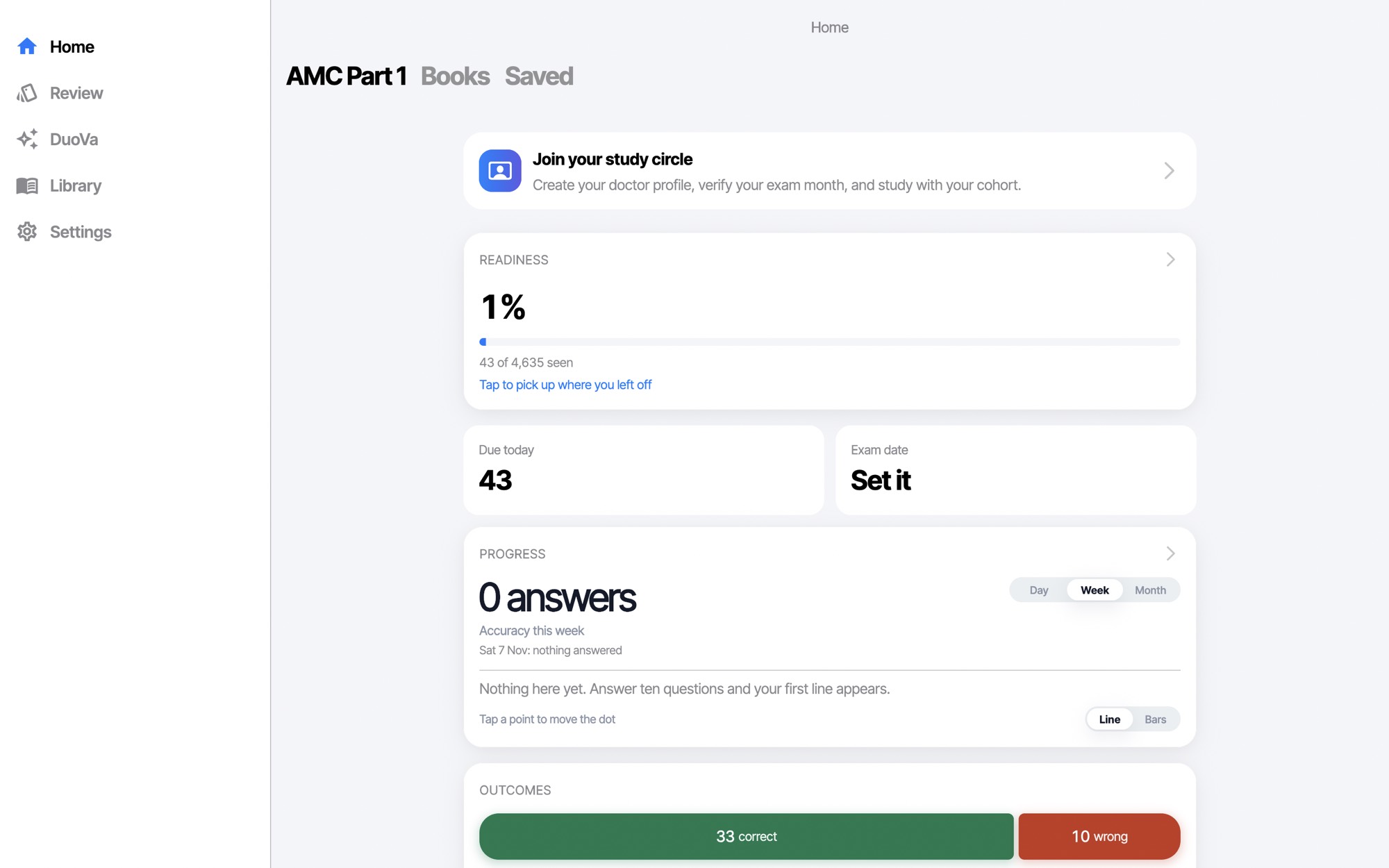
Know where you stand.
Readiness, the questions due today and your exam date sit on one screen, with your answers charted by day, week or month.
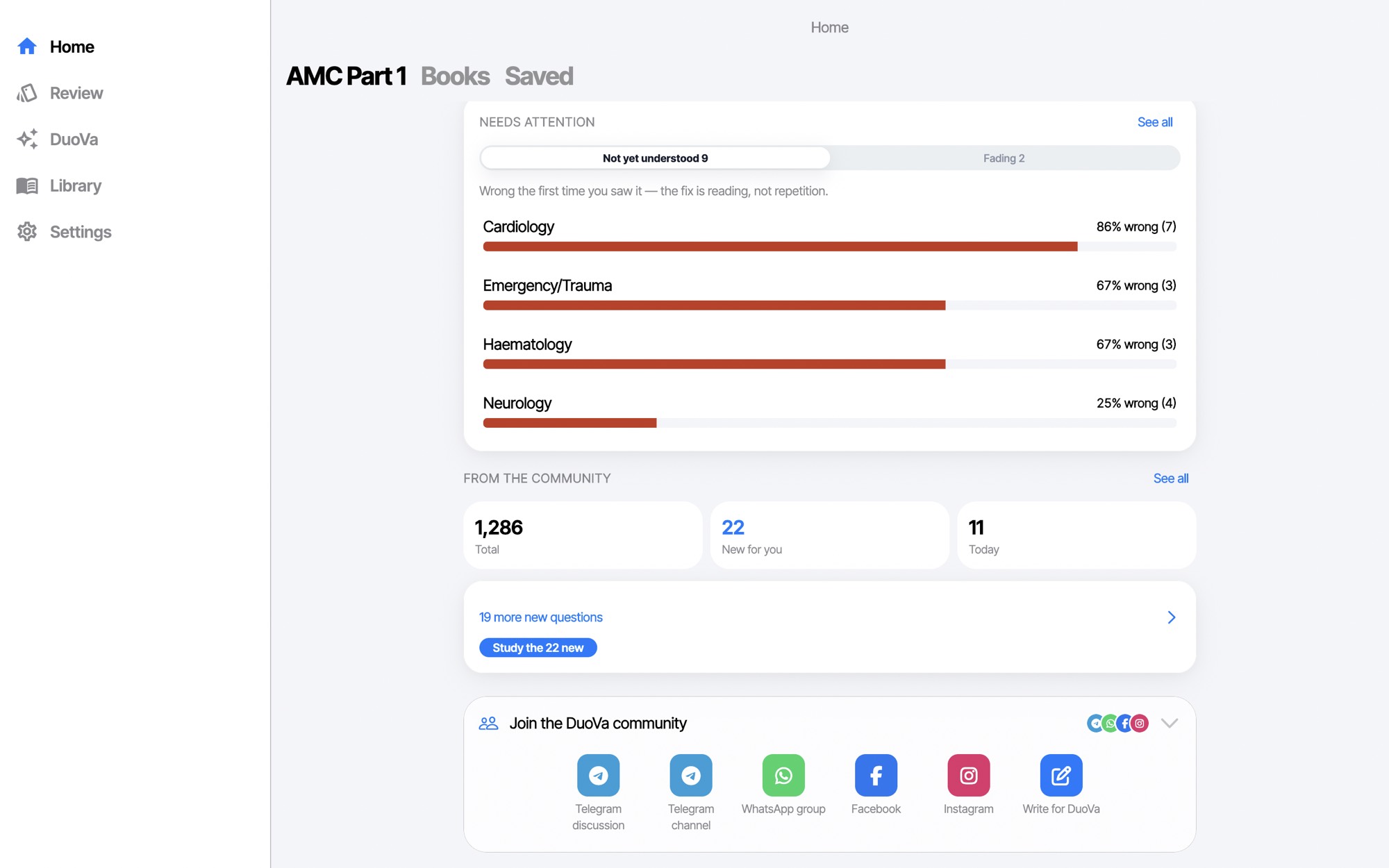
What to fix
See which topics keep catching you out.
Needs attention lists the topics you got wrong the first time you saw them, with how often, so you can decide what to read next.
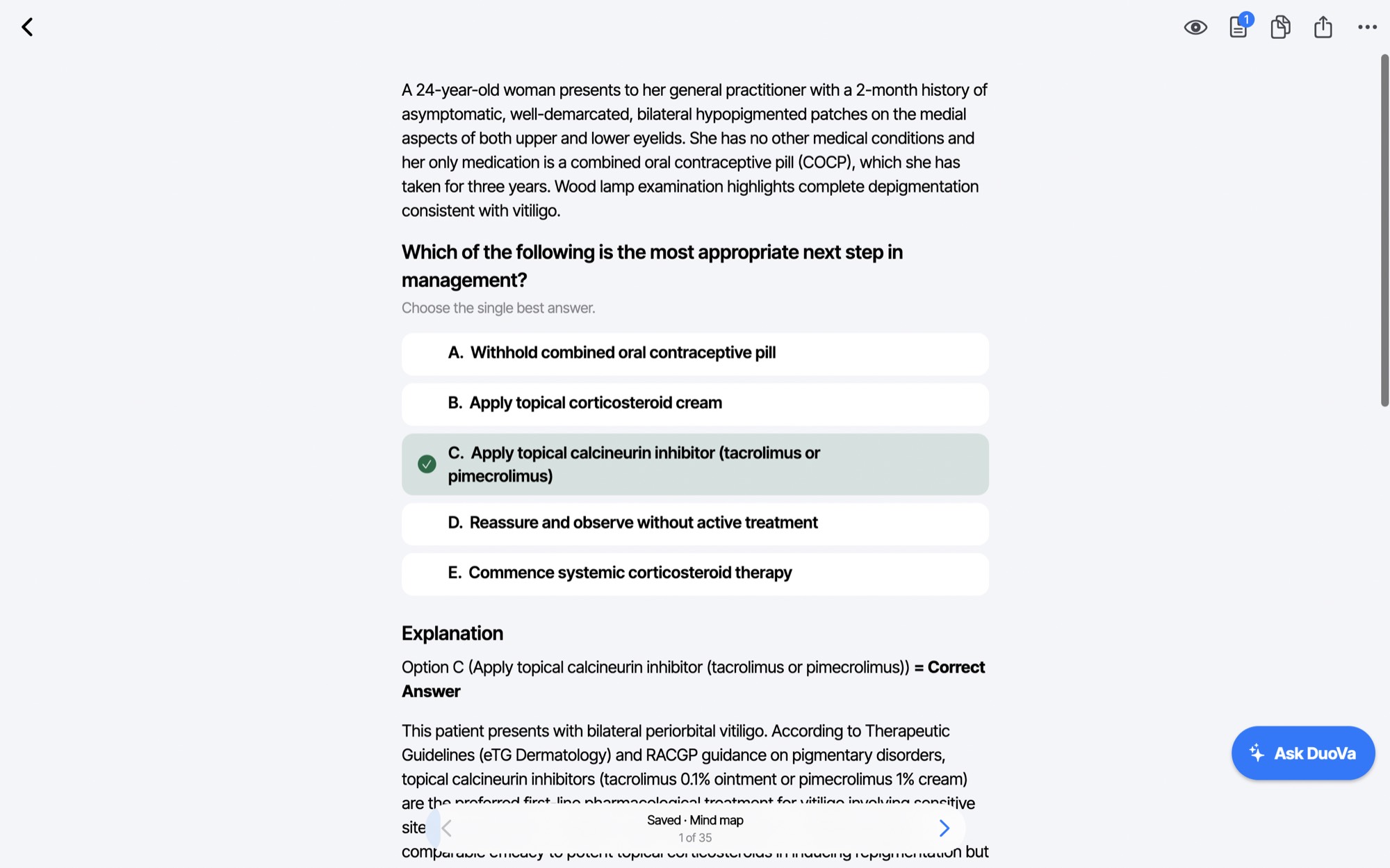
Practice
Answer, then understand.
Pick an option and the right answer is marked with a green tick, followed by the explanation. Ask DuoVa is one click away if you want it explained another way.
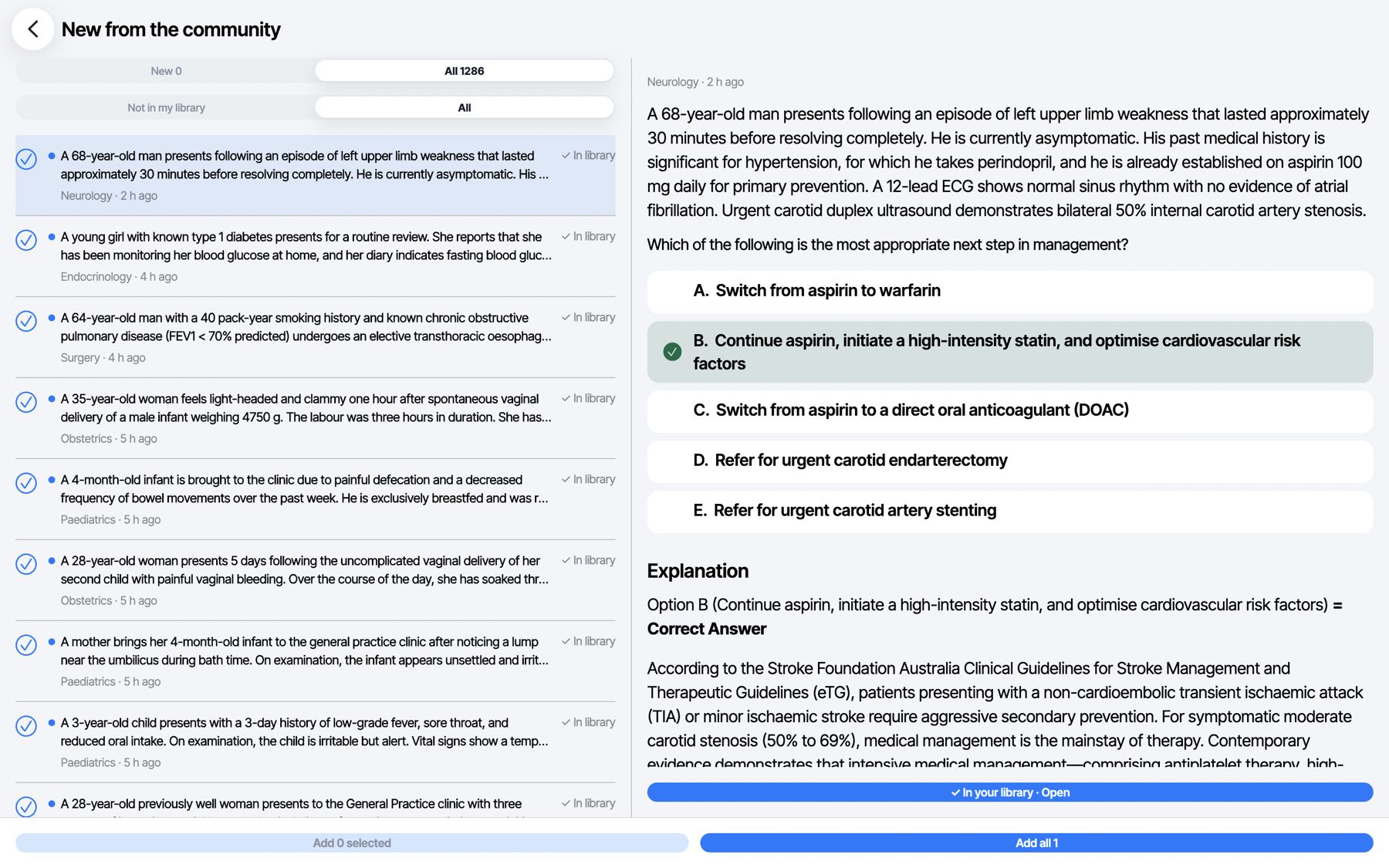
Room to read
The list on the left, the question on the right.
On a big screen you can scan a whole list and read one question in full, with its options and explanation, without leaving the page.
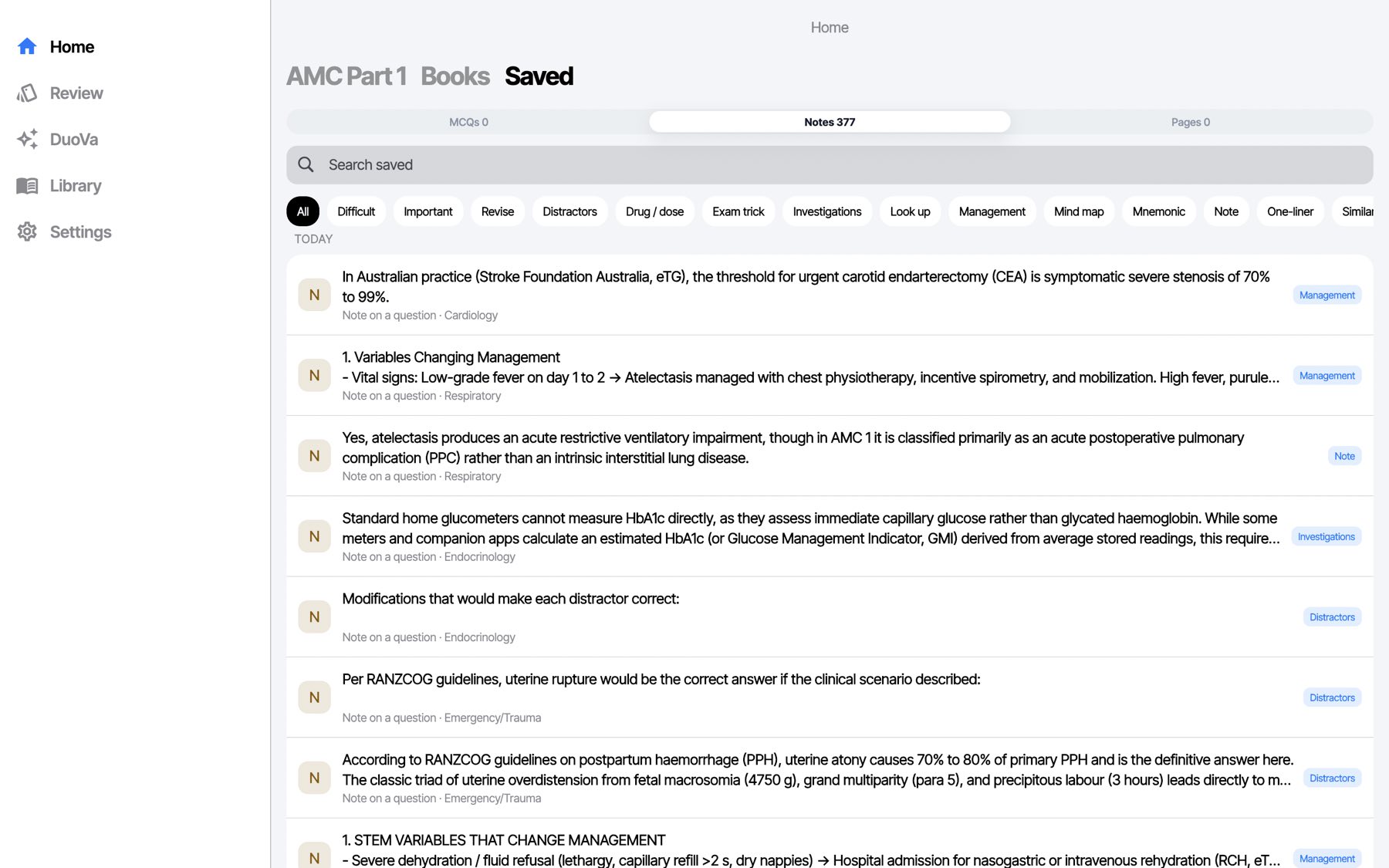
Saved notes
Every note you keep, one search away.
Tag a note as Drug / dose, Mnemonic, Mind map, Distractors and more, then filter or search them all.
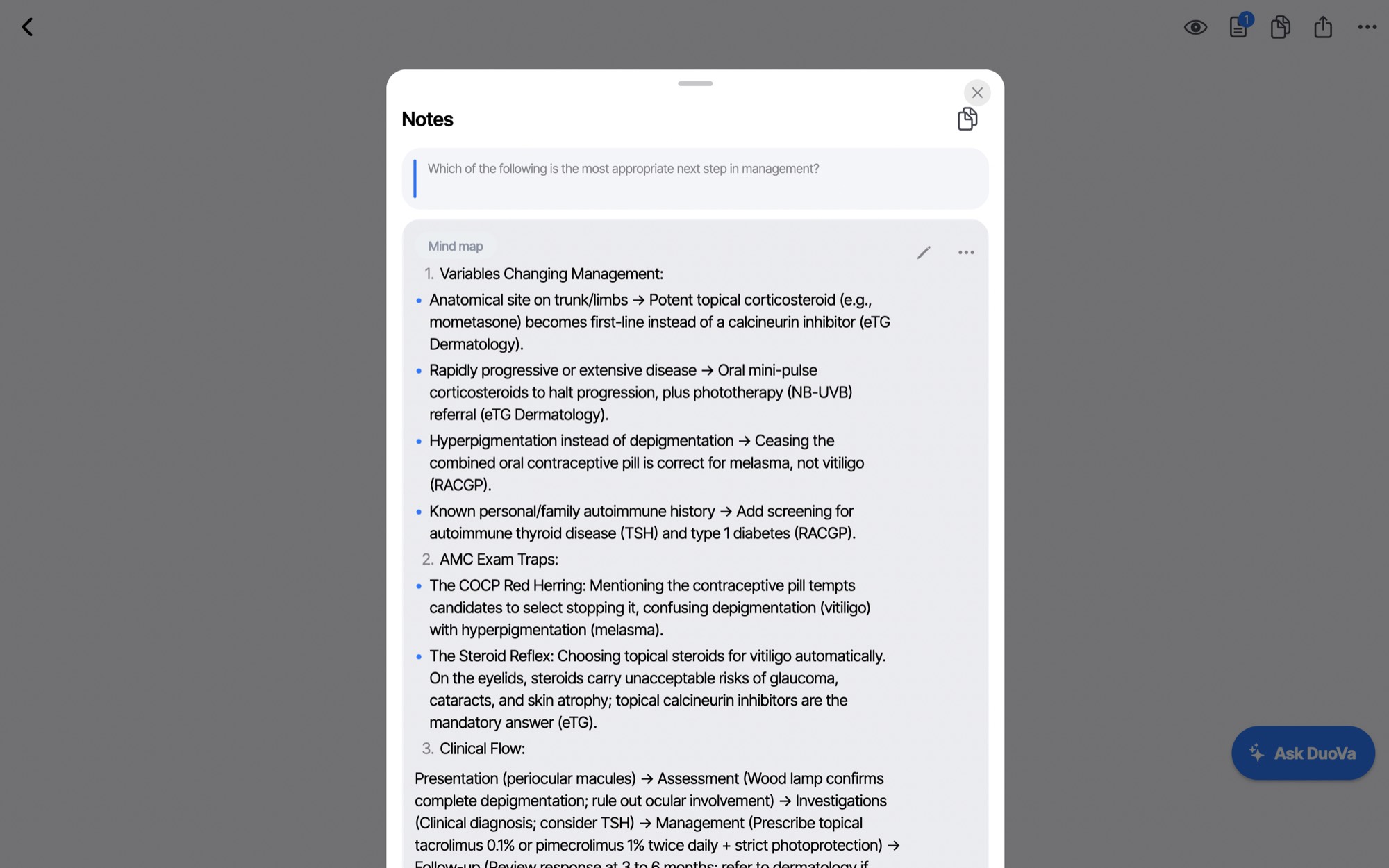
Notes on a question
Write beside the question. Take it with you.
Keep a note on any question, with Markdown for lists and tables. Write it at your desk and, with your DuoVa licence, it is on your phone for the ward or the commute, photos included. Your questions and study progress sync too. It is on by default for licence holders, and you can turn it off any time in Settings.
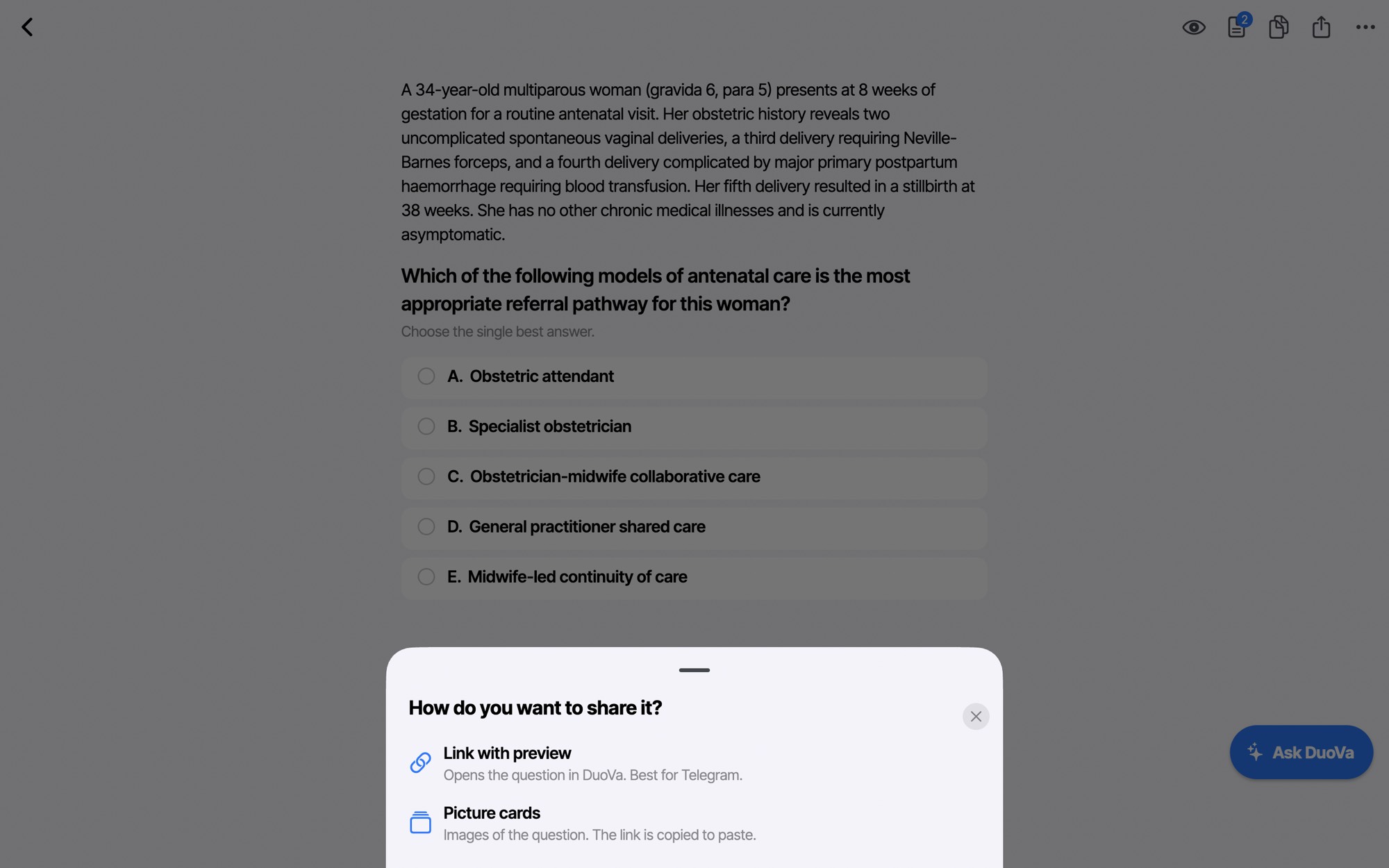
Share
Send a question to your study group.
Share a link that opens the question in DuoVa, best for Telegram, or picture cards of the question, with the link copied for you to paste.
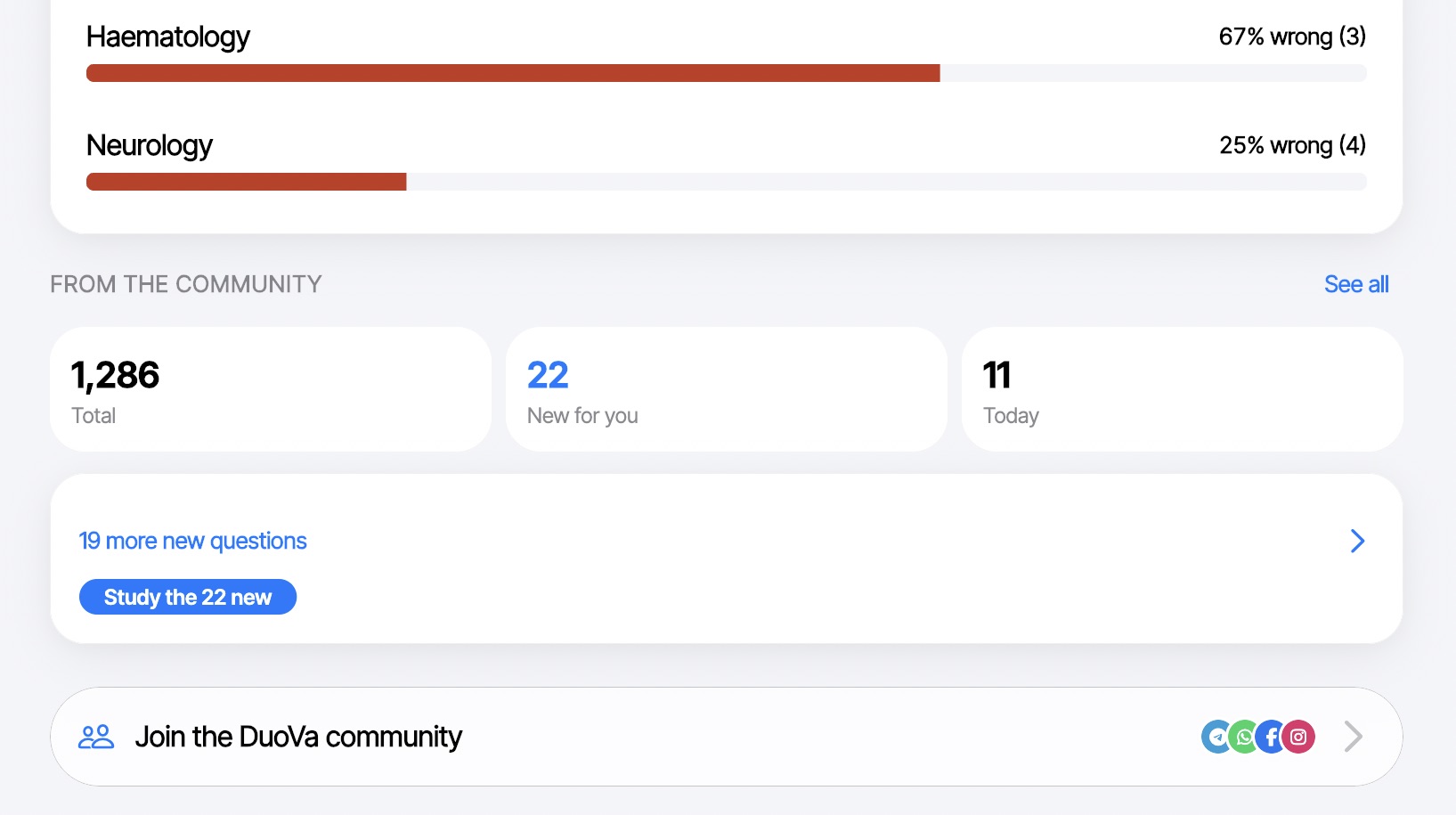
Community
See what other doctors are adding.
Home shows how many questions the community has shared, how many are new for you and how many arrived today, with one button to study the new ones. Join the DuoVa community is a tap away.
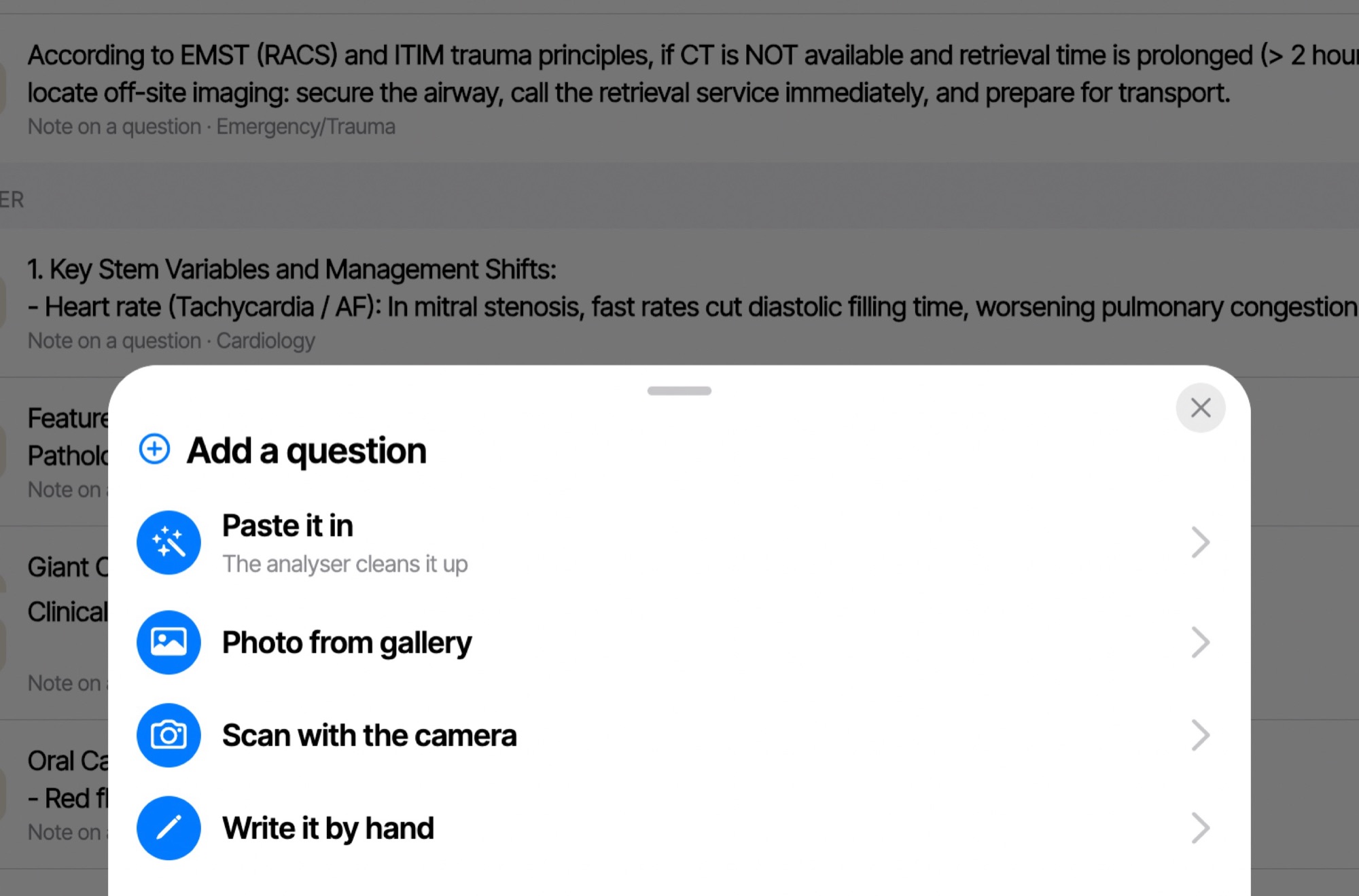
Add a question
Got a question you want in your bank? Add it.
Paste it in and DuoVa cleans it up, take a photo from your gallery, scan a page with the camera, or write it by hand. With your licence, a question you add on one device appears on the other.
And more
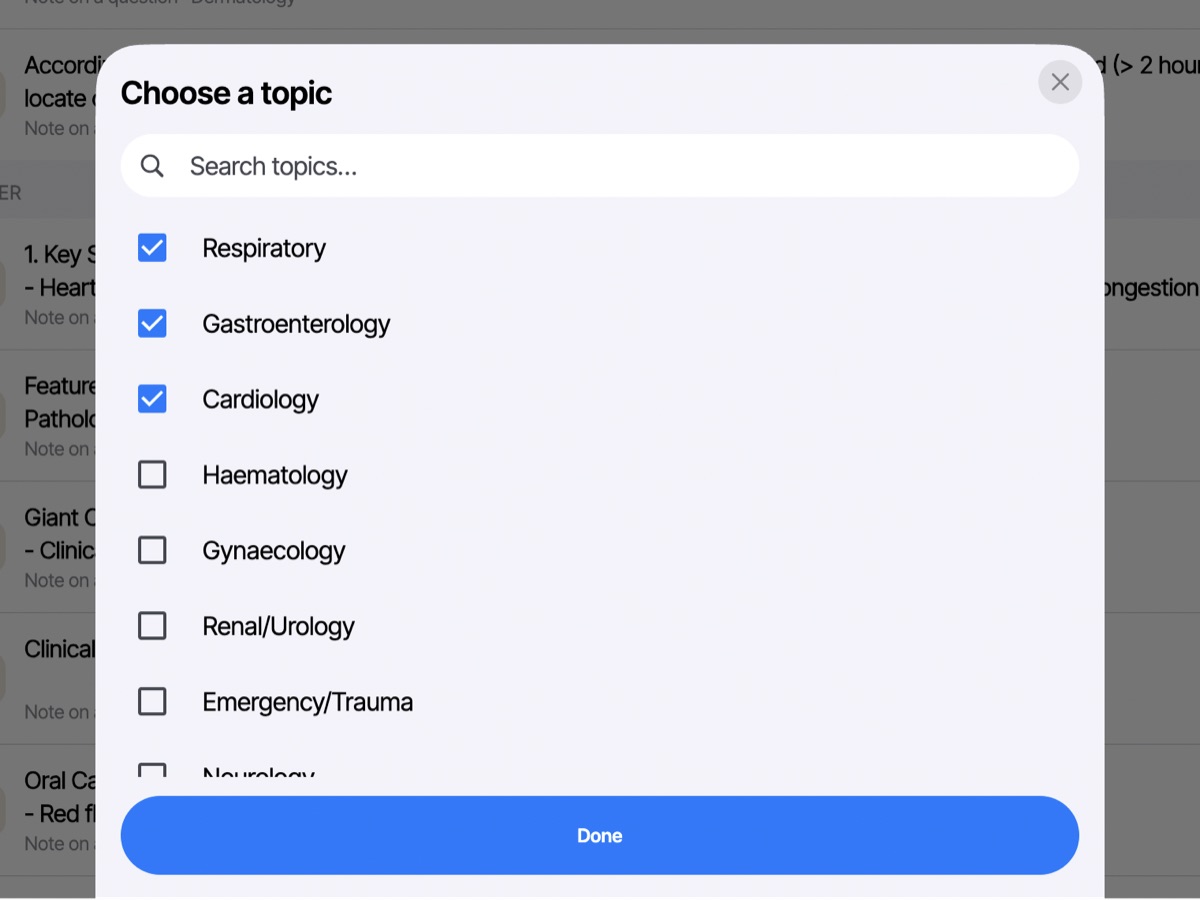
Choose your topics
Tick the topics you want to practise, or search for one, then press Done.
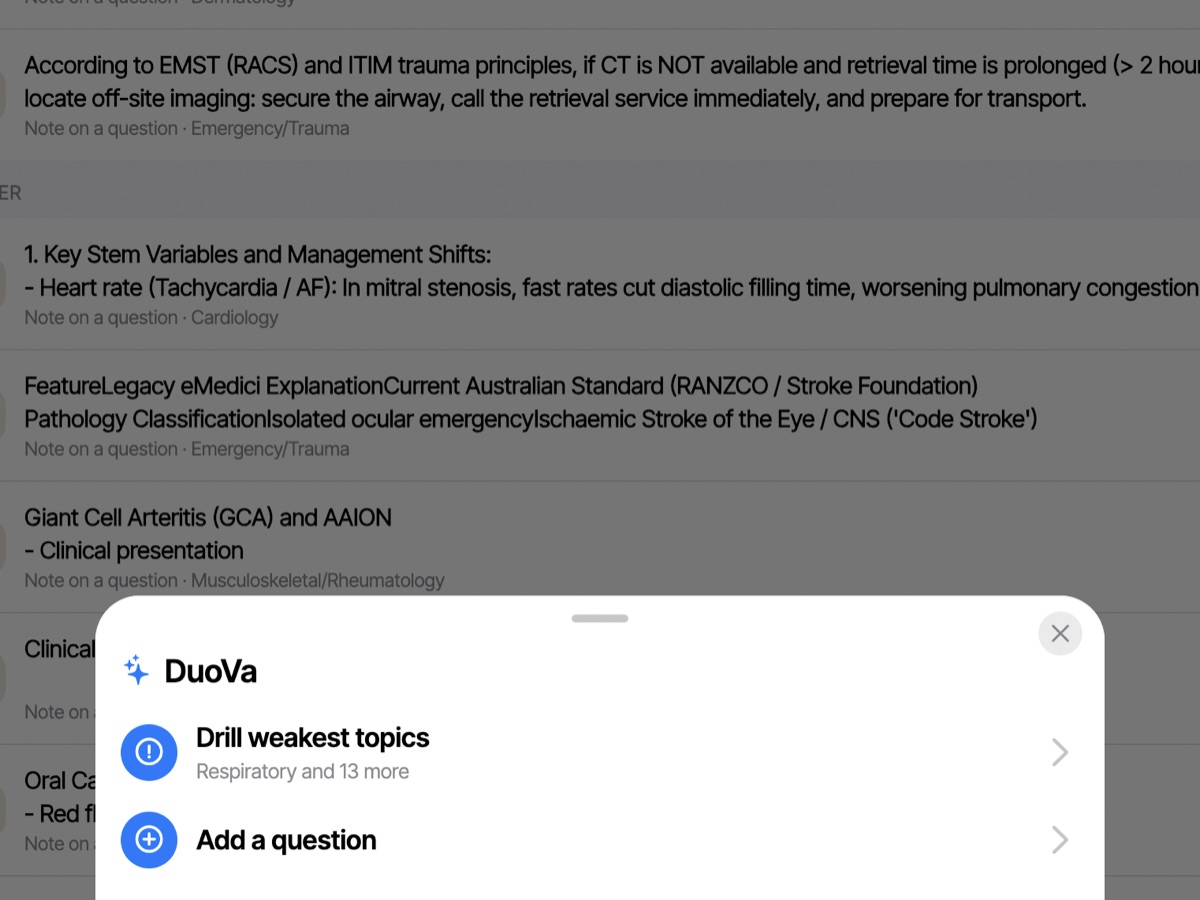
Drill your weakest topics
The DuoVa menu starts a drill on the topics you get wrong most, or lets you add a question.
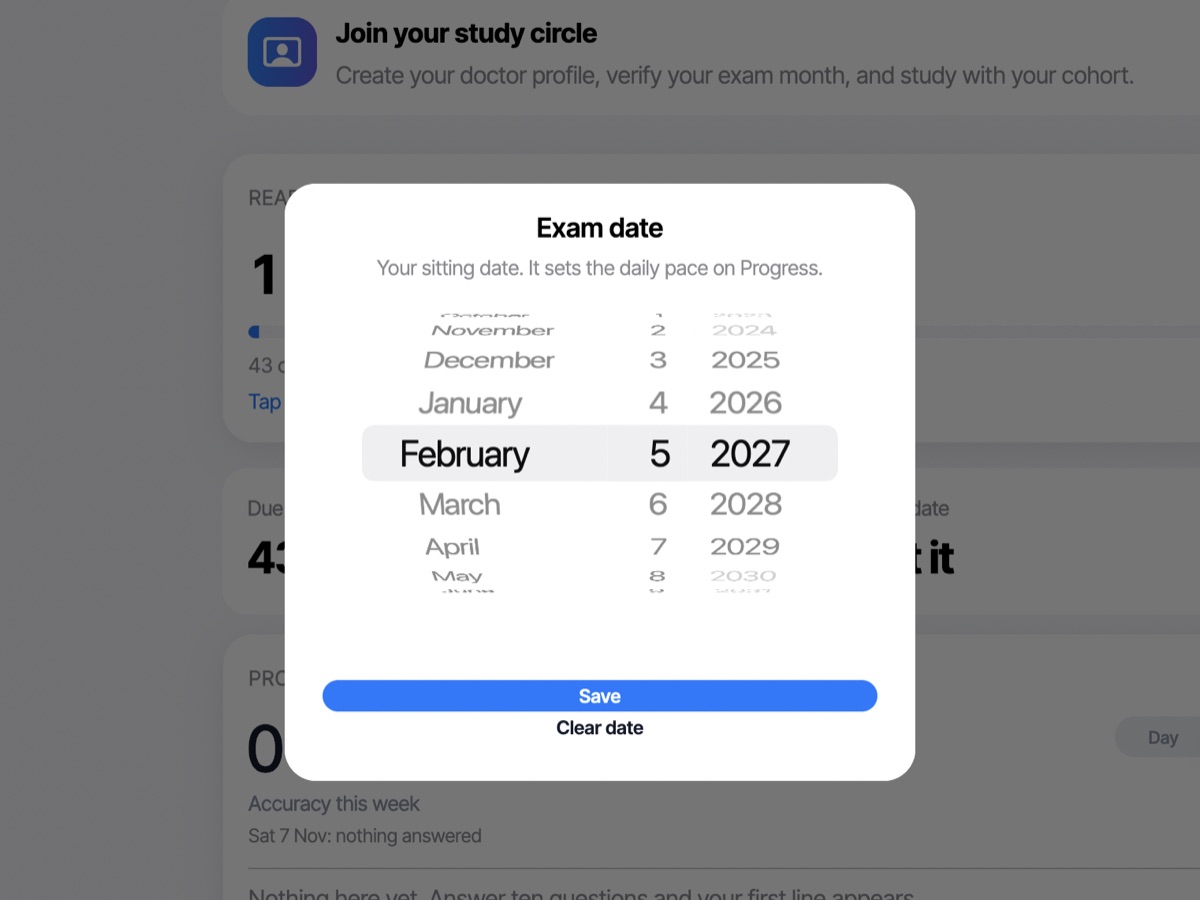
Set your exam date
Pick your sitting date. It sets the daily pace on Progress. You can clear it any time.
Installing DuoVa on your Mac
DuoVa isn’t registered with Apple’s paid developer programme yet, so macOS asks you to confirm once. It’s the same app, and you only do this the first time.
- 1
Try to open DuoVa, then click Done
Double-click DuoVa. macOS says it could not verify DuoVa. Click Done. Do not click Move to Bin.
- 2
Open System Settings, then Privacy & Security
Open the Apple menu, choose System Settings, then click Privacy & Security in the sidebar. Scroll down to Security.
- 3
Click Open Anyway
Next to “DuoVa” was blocked to protect your Mac, click Open Anyway. Enter your password or use Touch ID.
- 4
Click Open Anyway once more
A last dialog asks if you are sure. Click Open Anyway again. DuoVa opens, and from now on it opens with a normal double-click.
On macOS 12 or 13? It is simpler: Control-click (or right-click) DuoVa, choose Open, then click Open in the dialog.
Still stuck? Ask in the DuoVa Telegram discussion group or the WhatsApp group.
Requirements
- macOS 12 (Monterey) or later.
- The same DuoVa licence key as your phone.
- Open the download, drag DuoVa to Applications, and open it.
Questions
Is it the same licence?
Yes. Use the same licence key on your Mac.
Does it sync with my phone?
Yes, with a licence. Your notes (with their photos), the questions you add and your study progress sync between your devices automatically. You can turn it off any time in Settings, under Sync and sharing. Without a licence nothing syncs and each device keeps its own.
When can I get it?
The Mac app is built and in testing. Leave your email on the download page and you will get one message the day it is ready.
macOS says it can’t check DuoVa. Is it safe?
Yes. DuoVa isn’t registered with Apple’s paid developer programme yet, so macOS can’t check it and asks you to confirm once. It is the same app we ship on your phone. Only open apps you trust, and only download DuoVa from duovastudy.com. The short steps are in “Installing DuoVa on your Mac”. See the steps.